
Automatic editing for audiobooks and voice-over
Narrate more.
Edit less.
Earn more.
Every hour you no longer spend editing is yours. You decide what to do with it.
vodit pro compares your recording with the script. It cuts out flubs, doubles and restarts. Anything it isn’t sure about, it marks. You open the result directly in Reaper, Cubase or Pro Tools.
Measured over six months of German-language productions in our own studio. English measurements are in progress. See the numbers →
 Reaper
 Cubase
 Pro Tools
 Logic Pro
 Audacity
 Premiere
Sound familiar?
The evening after the session.
- 9:30 pm9:30 pm
Chapter 15 is recorded. An hour and a half of audio, after a full-time job and putting the kids to bed. And the chapter has to go out tonight. So you sit down to edit. Tired. Voice shot.
- Minute 8Minute 8
A double. You cut it out. Then you notice: you read the last two sentences twice as well. Three cuts for one spot.
- Minute 34Minute 34
The clicker spikes are barely visible. Did I miss something? Better listen again. Just to be safe.
- 11:45 pm11:45 pm
Chapter exported. Delivered. Off to bed, exhausted.
- Next morningNext morning
The producer writes: “There’s still a double at 23:47.” Back to editing.
The problem isn’t that you edit too slowly.
The problem is that you have to find every mistake yourself.
Faster fingers won’t help. Neither will punch and roll. At 11 pm your ear is hunting for mistakes it would have caught instantly at 10 am.
What helps: a system that knows what you meant to say↓How it works
Three steps. Your workflow stays.
- 01
Record as usual
No markers. No clicker. Make mistakes, start over. All you need is your recording as WAV and the script as PDF, Word (.docx) or TXT. One-time setup: about 10 minutes, including a Deepgram account for speech recognition (with starter credit, then pay-as-you-go at Deepgram).
- 02
vodit pro compares word by word
Speech recognition turns your recording into text. vodit pro lays it next to your script and finds every flub, every double, every restart. Clear mistakes get cut with a matching pause and a clean fade. Borderline cases get marked.
- 03
You only check the marked spots
You open the finished project in your DAW. The cuts are already in place. You listen only to the marked spots, not the whole recording. One keystroke per spot. Done.
Edit done
Chapter 02 — Fog over the Harbor
- Marking 7 spots to review
- Writing the cuts into the DAW project
- Exporting for your DAW
Right in your DAW
Reaper project, Cubase, Pro Tools (AAF), WAV. Your FX chain, your render presets. No browser editor, no download, no re-import.
You see why it cut
No black box. Every uncertain spot is color-marked in your review list.
Flat rate, not a meter
One subscription, no matter how many hours you produce. No fees per finished hour.
Chapter recorded, a few minutes of review, delivered.
Not at midnight. Now.
Our numbers
No promises. Six months in our own studio.
We built vodit pro because we are narrators ourselves. Andreas, audiobook and voice-over narrator on our team, has edited every project with it for six months. These are his numbers, measured on German-language productions. No customer quotes, no lab. Measured on our own material.
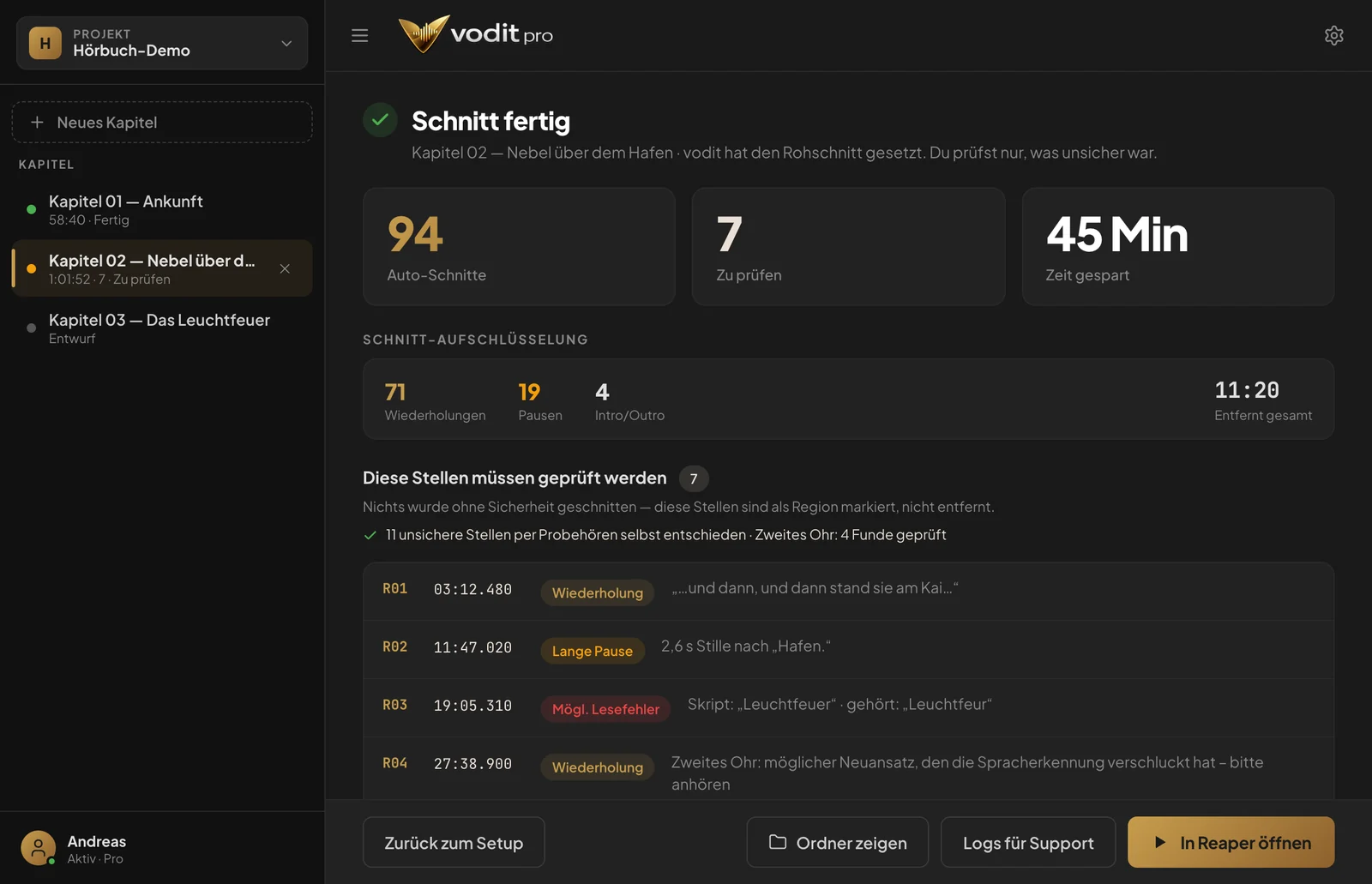
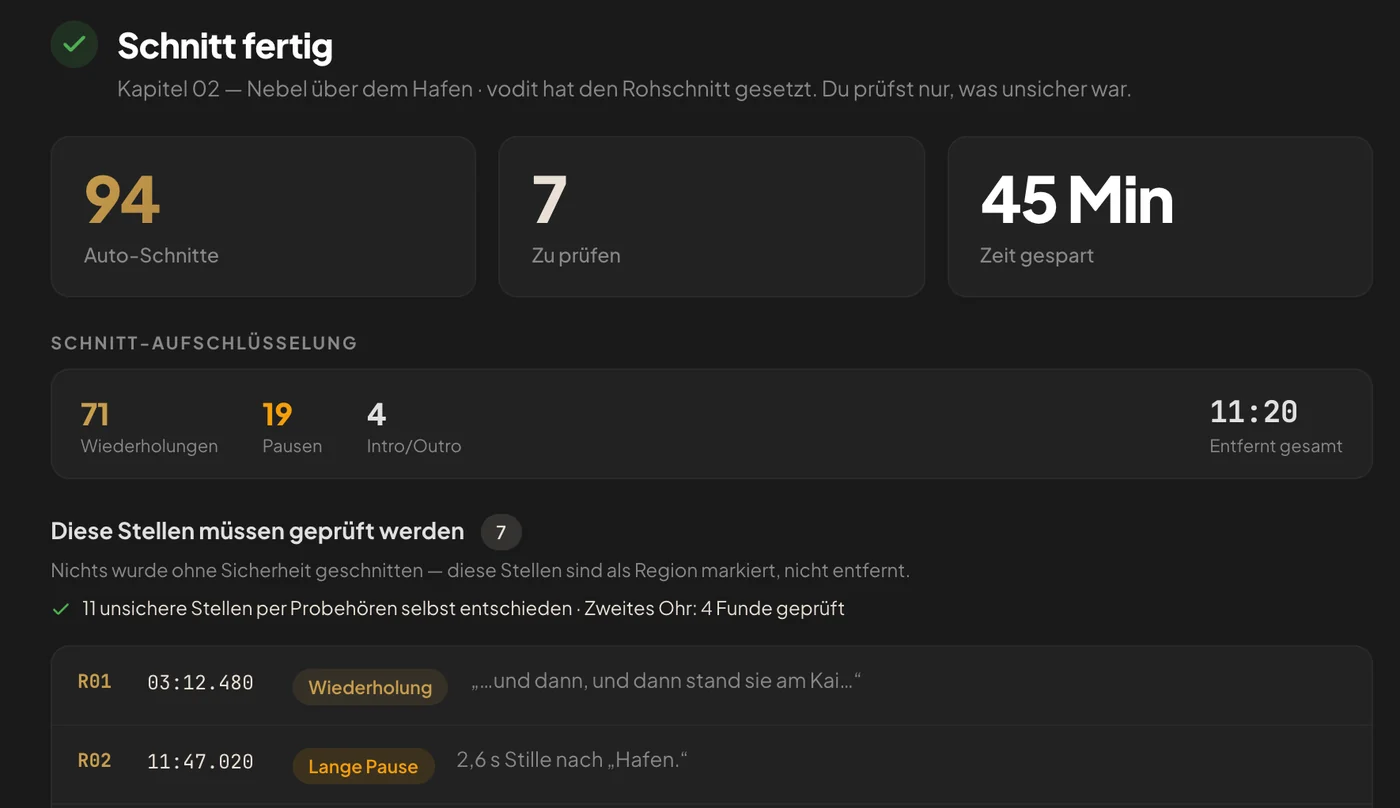
Straight from the app
Audiobook chapter, 1 hour.
- 94 cuts placed automatically
- 7 spots marked for review
- 45 minutes of editing time saved
The real app interface with a demo project and sample values for a 1-hour chapter.
Case study
The job we would have turned down.
YouTube voice-over, 20-minute video. Fee: €30.
Before: Record, then edit for just as long again. Not worth it at that fee.
With vodit pro: under 30 minutes, including editing and export.
The math
- Fee
- €30
- Working time with vodit pro
- under 0.5 h
- Hourly rate
- approx. €60
A job we would have declined turned into a good one.
Comparison
You have options. Here are the differences.
How are mistakes found?
vodit pro: Comparison with the script: auto-cut + review
- Manual
- Your ear
- Cloud tool
- Comparison with the script
Uncertain spots
vodit pro: Color-marked in the review list
- Manual
- You search yourself
- Cloud tool
- Depends on the provider
Where do you edit?
vodit pro: DAW
- Manual
- DAW
- Cloud tool
- Browser
Download and re-import the result
vodit pro: No
- Manual
- –
- Cloud tool
- Yes
Your audio file
vodit pro: Sent to Deepgram for speech recognition only. Editing and export run locally
- Manual
- Stays local
- Cloud tool
- Uploaded and edited there
Cost for 15 h of audio
vodit pro: $29.95 a month
- Manual
- Your time: approx. 15 h of editing
- Cloud tool
- approx. €180 (at €12 per audio hour)
| Manual | Cloud tool | vodit pro | |
|---|---|---|---|
| How are mistakes found? | Your ear | Comparison with the script | Comparison with the script: auto-cut + review |
| Uncertain spots | You search yourself | Depends on the provider | Color-marked in the review list |
| Where do you edit? | DAW | Browser | DAW |
| Download and re-import the result | – | Yes | No |
| Your audio file | Stays local | Uploaded and edited there | Sent to Deepgram for speech recognition only. Editing and export run locally |
| Cost for 15 h of audio | Your time: approx. 15 h of editing | approx. €180 (at €12 per audio hour) | $29.95 a month |
An audiobook with 15 hours of audio: at €12 per audio hour, that’s €180 for a single project.
With vodit pro: $29.95 a month, no matter how many projects.
About us
By narrators. For narrators.
We narrate audiobooks, voice-overs and e-learning ourselves. And like most of you, we spent as much time editing as narrating for a long time.
Clicker: error-prone.
Punch and roll: better, but you still listen to everything again.
Cloud tools: a break in the workflow and costs that grow with every project.
Then the thought: we have the script. We have the recording. If we compare the two word by word, we know where the mistakes are.
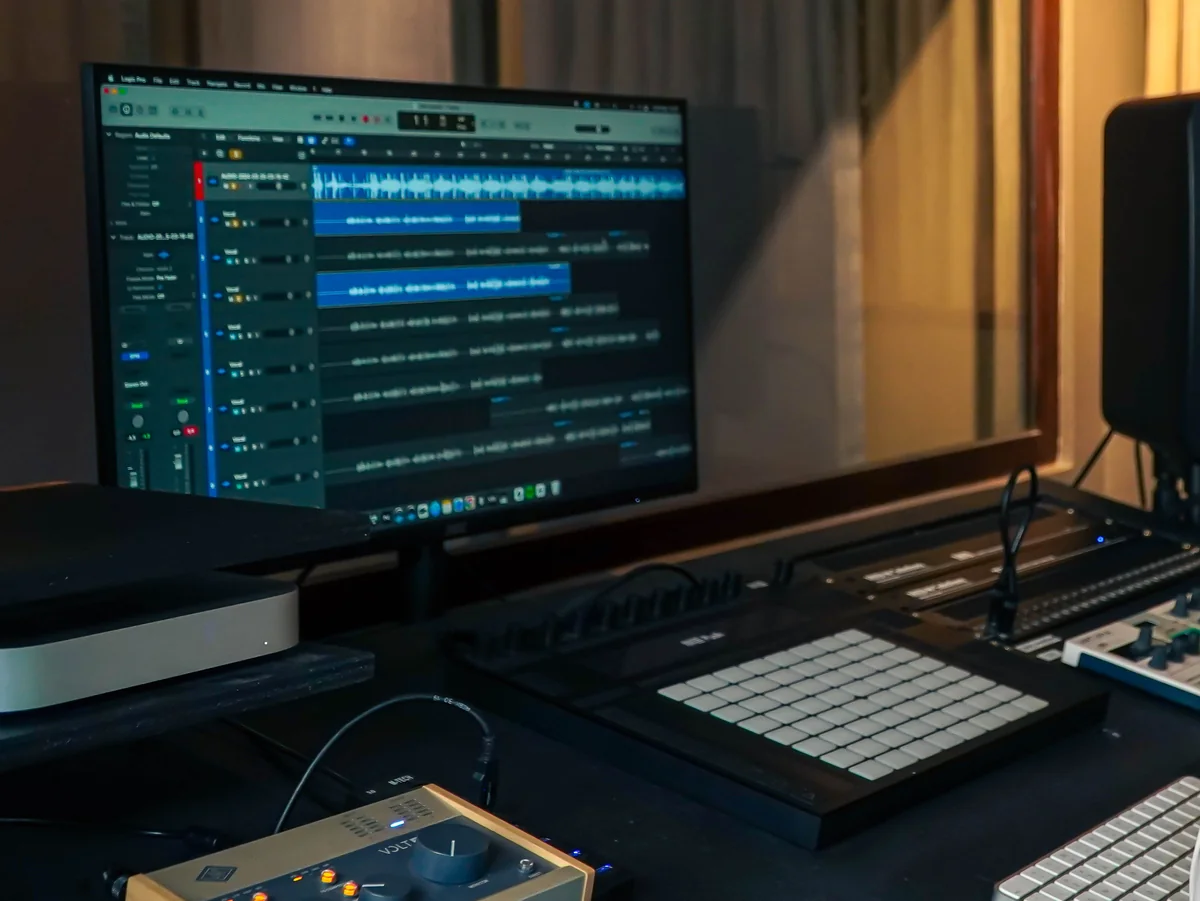
That’s how vodit pro was born. Built in the studio, between sessions and deadlines. And we use it every day.
Who it’s for
Is vodit pro right for you?
A good fit if you …
- produce audiobooks, voice-overs or e-learning regularly
- work in Reaper, Cubase, Pro Tools or Logic
- do your own editing and are tired of it
- want to raise your hourly rate, take on more projects or simply clock off earlier
Probably not if you …
- need a full proofing pass for publishers
- prefer to work entirely in the browser
- only have one project a year
Pricing
Less than one hour’s pay a month.
Monthly
$29.95/month
Billed monthly, taxes included.
- Automatic editing: flubs, doubles, repeats
- Review list: every uncertain spot to tick off
- Export as Reaper project, AAF (Pro Tools) and WAV
- Mac and Windows, English and German
- No fees per finished hour
- All updates and new features
Cancel monthly. No minimum term.
Yearly
2 months free$25/month
$299.95 billed yearly, taxes included.
- Automatic editing: flubs, doubles, repeats
- Review list: every uncertain spot to tick off
- Export as Reaper project, AAF (Pro Tools) and WAV
- Mac and Windows, English and German
- No fees per finished hour
- All updates and new features
Cancel anytime, effective at the end of the term.
Introductory price for the first 100 users. You keep it for as long as you stay.
For comparison: Billed per audio hour, a 15-hour audiobook costs around €180.
Free trial: Your subscription starts automatically after 7 days. Cancel before then and you pay nothing.
All prices include applicable taxes (VAT/sales tax). Prices in US dollars; customers in the EU, EEA and Switzerland pay the same amount in euros. For speech recognition you need your own Deepgram account. It starts with free credit; after that you pay Deepgram directly for what you use. These costs are not included in the price of vodit pro.
Studio or team with several narrators? Let’s talk →
FAQ
Frequently asked questions
Does it really work?
Workflow & tech
Subscription
Another question? Write to us: support@vodit-pro.com →
You’re a narrator. Not an editor.
You didn’t get into this to click around a timeline. You want to voice characters and tell stories. vodit pro takes care of the editing.
Try it free for 7 daysCancel anytime · Cancel during the trial and you pay nothing.